Modbus TCP FieldKit
Modbus TCP client, server and simulator for iPhone and iPad, with separate Mac and Android apps. Find devices on your network, scan Unit IDs, monitor registers live and confirm writes before they go out.
$ specsheet modbus-tcp-fieldkit
- role
- Solo developer
- year
- 2026
- platforms
- iOS 18+ · iPadOS 18+ · macOS 15+ (separate app) · Android 8.0+ (separate app)
- stack
- Swift 6 · SwiftUI · Network.framework · SwiftPM · Kotlin · Jetpack Compose
- status
- released
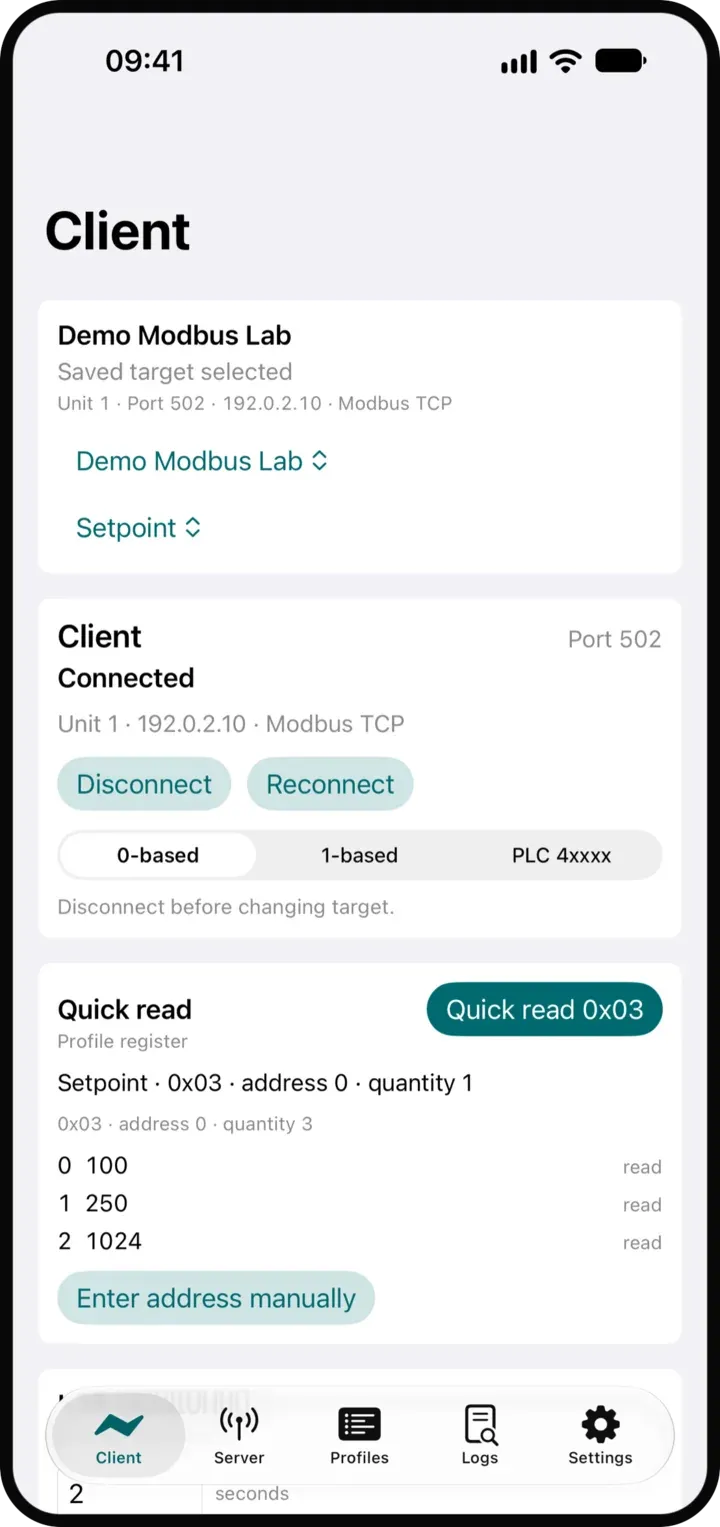
Modbus TCP FieldKit is a native Modbus TCP client, server and simulator for iPhone and iPad on iOS 18+. It also speaks RTU over TCP through RS-485 Wi-Fi or Ethernet converters in transparent mode, and it supports function codes 01, 02, 03, 04, 05, 06, 15 and 16. A separate app, Modbus TCP FieldKit Desktop, brings the client, server, profiles and logs to macOS 15+. Modbus FieldKit: TCP & RTU is a separate Android app for Android 8.0+ with its own Kotlin code base.
Problem
Bringing a Modbus device onto a network starts with unknowns: which address answers, on which port, with which Unit ID, and whether the register map counts from 0 or 1. Finding out usually takes a laptop and a desktop tool at the panel. A write to the wrong register on a live device has real consequences, so a phone tool has to make writes deliberate.
Solution
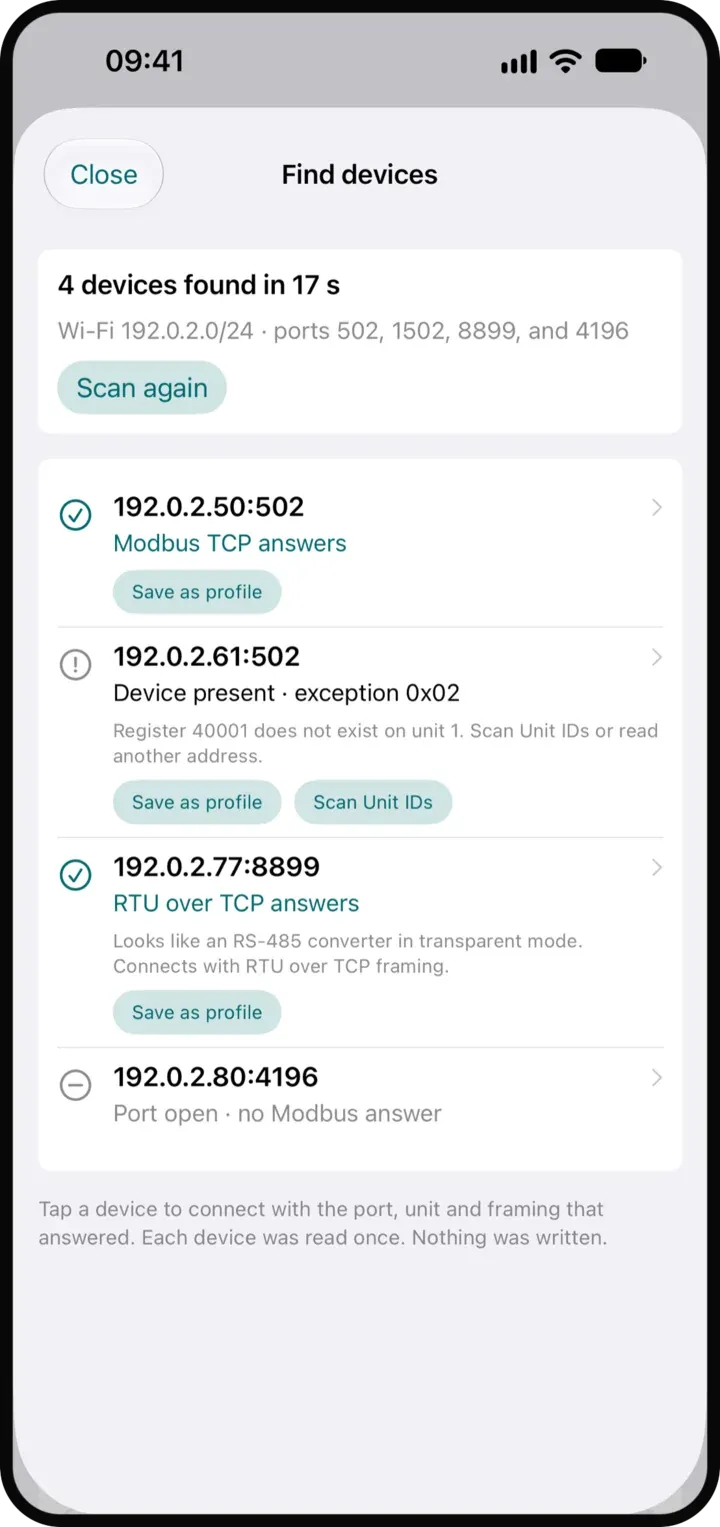
- Find devices: reads your own Wi-Fi IPv4 subnet up to /24 on ports 502, 1502, 8899 and 4196, plus a custom port. Each probe is one FC 03 read of one register.
- Scan Unit IDs: Quick covers 1 to 10 plus 0 and 255, All covers 1 to 247. Both only read.
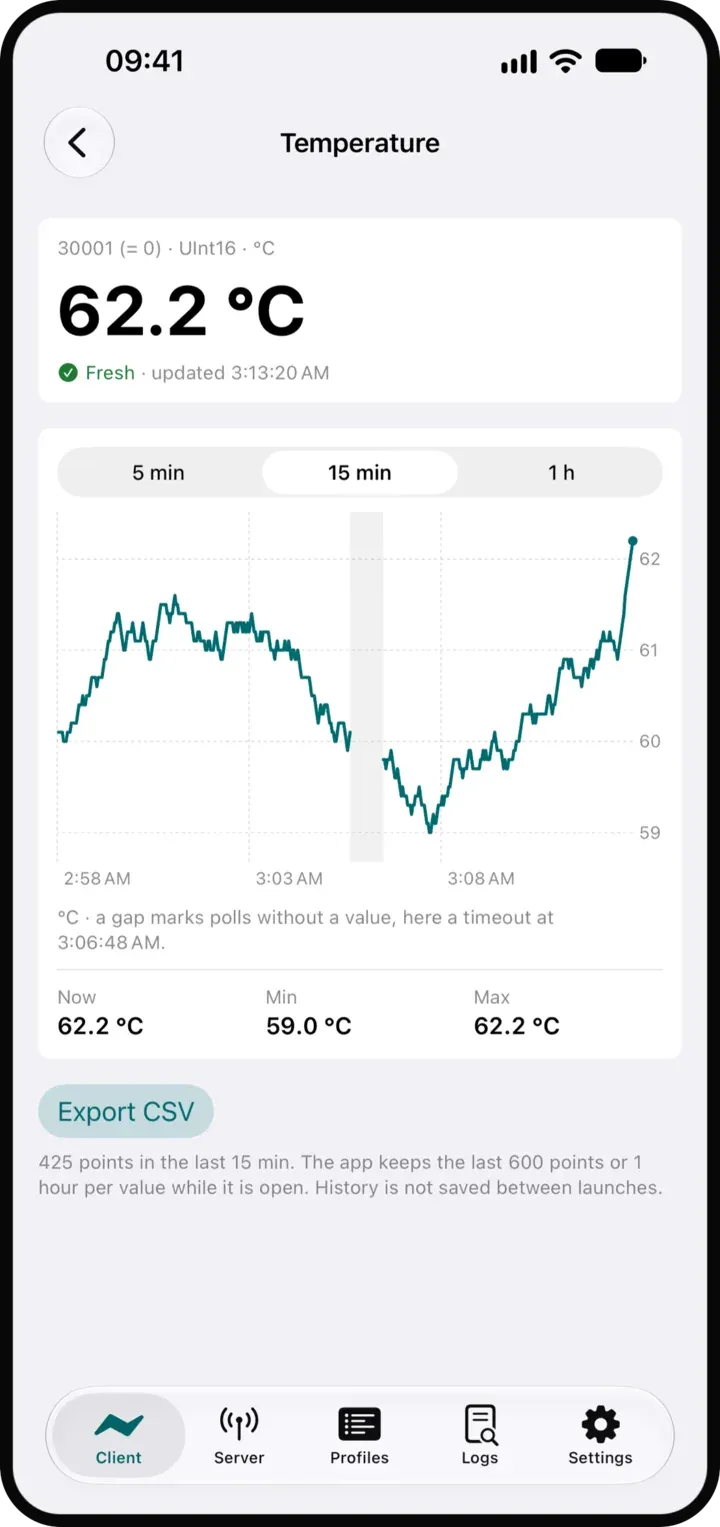
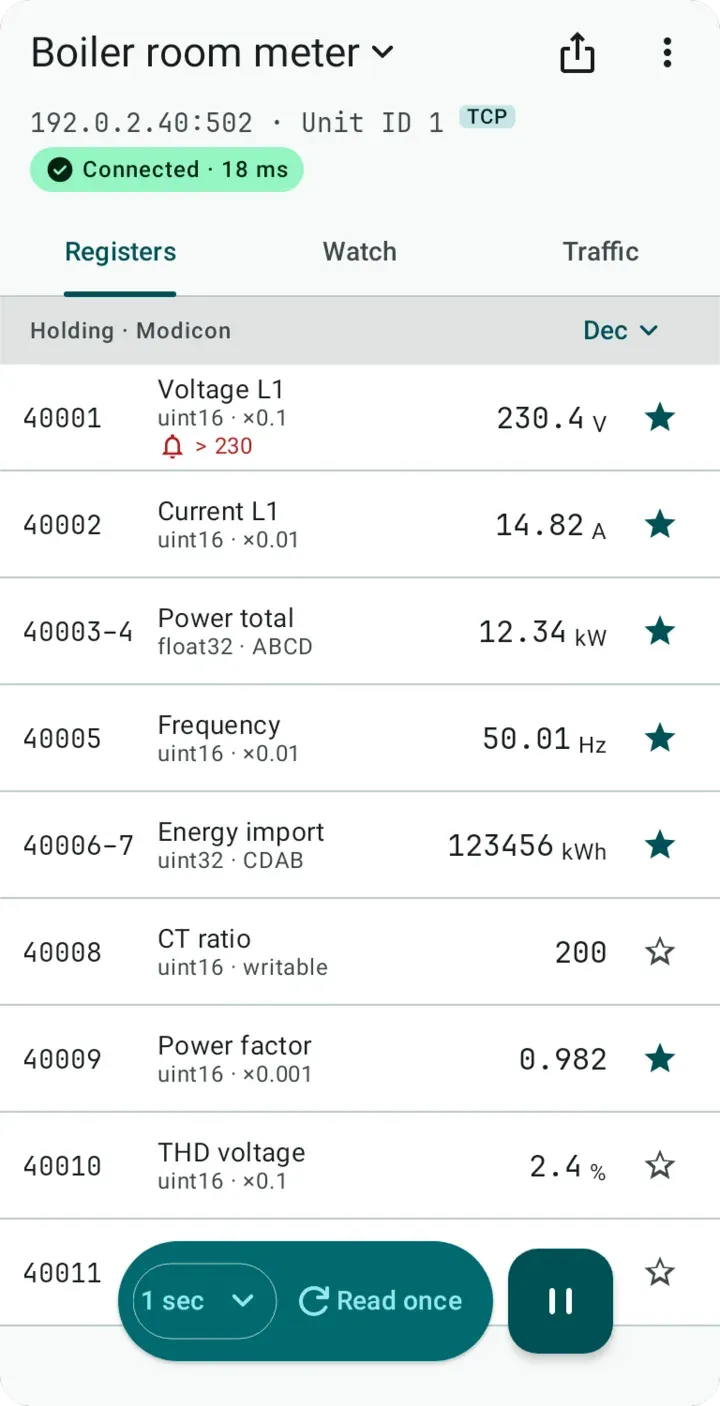
- Live monitoring: up to 16 blocks refreshed every 1 to 60 seconds, with charts over 5 minutes, 15 minutes and 1 hour, and CSV export.
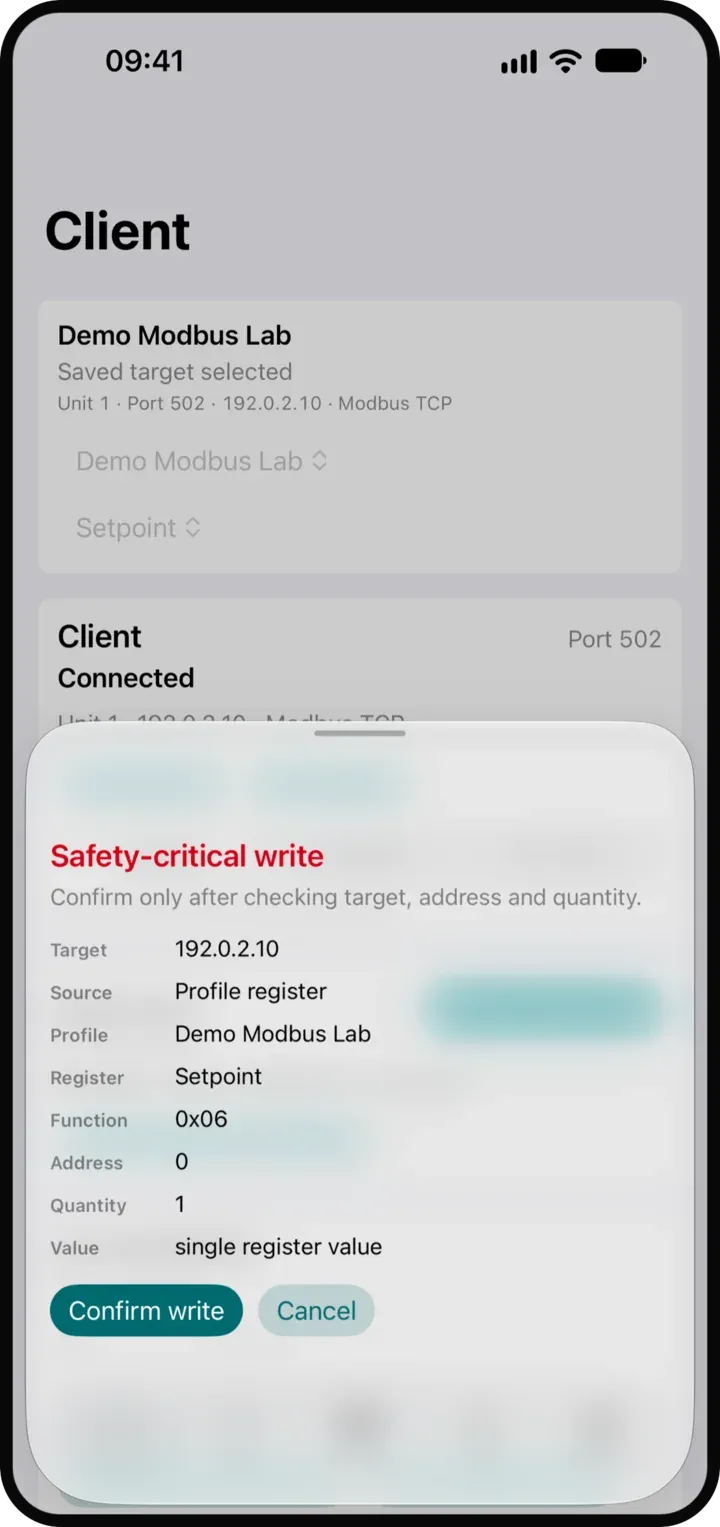
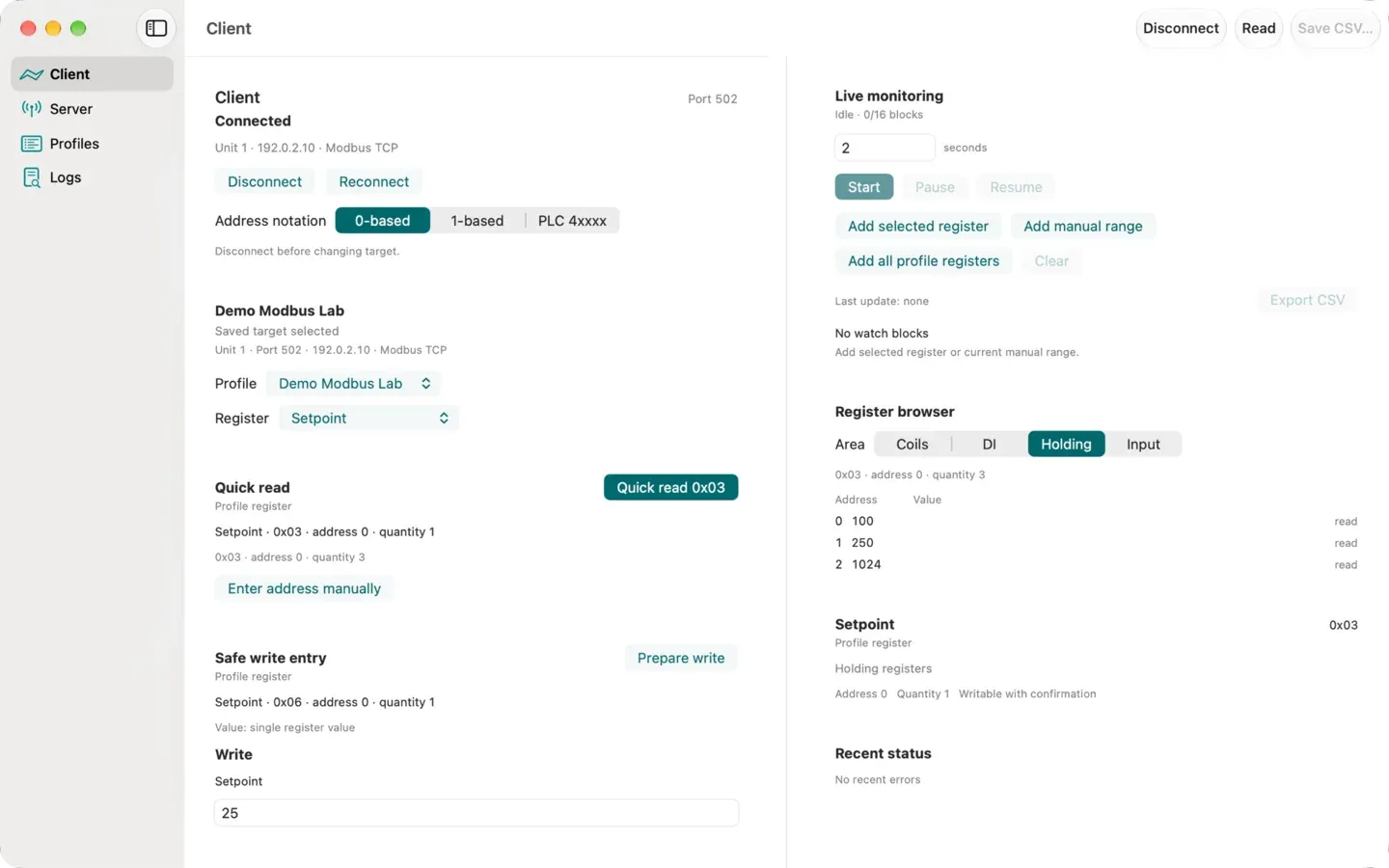
- Safe write: Prepare write and Confirm write are separate steps. The sheet shows the target and values, changing the target cancels the pending write, and writes never retry on their own.
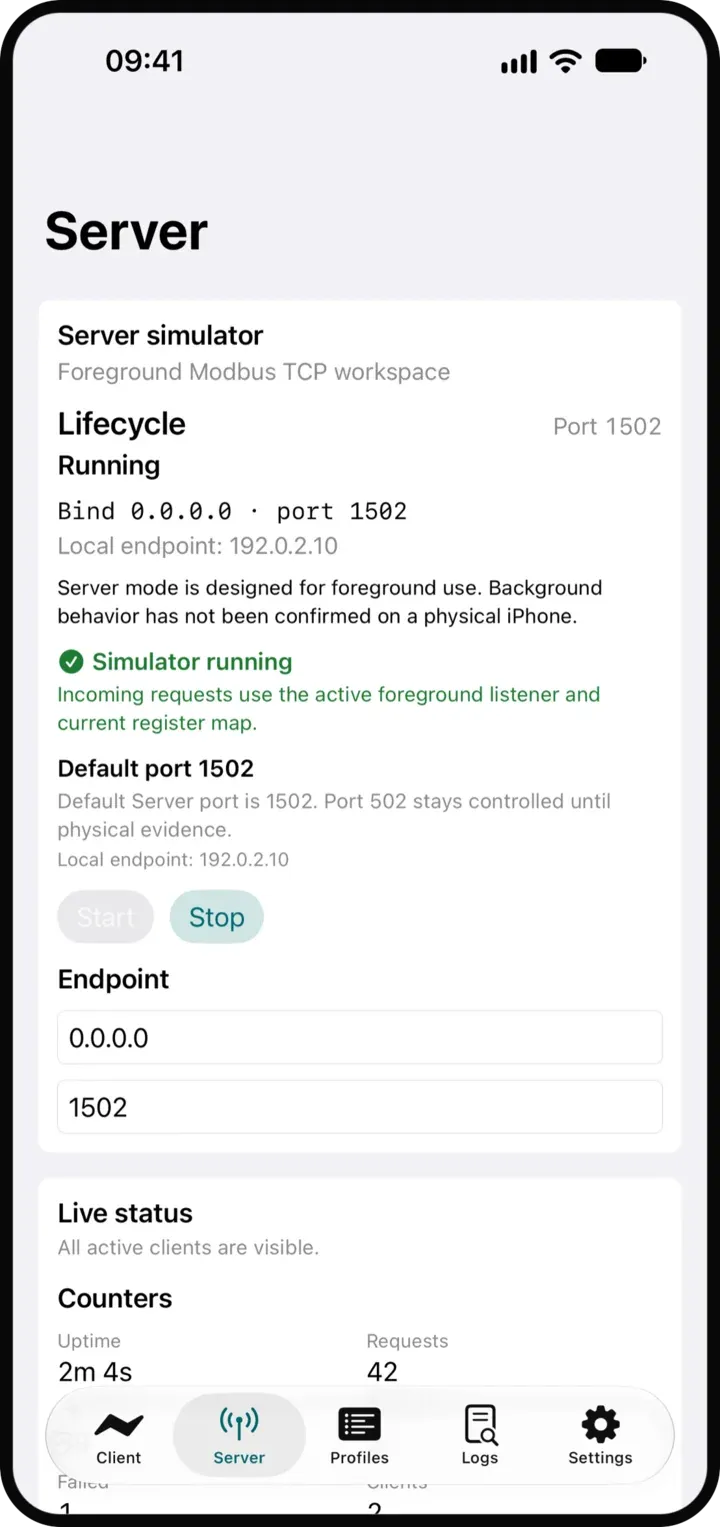
- Server: a foreground server on port 1502 with an editable register map and counters. A client’s writes appear about twice a second and survive Stop and Start.
- Profiles: format, byte order, word order and scale per value, with 0-based, 1-based and PLC 4xxxx addressing. Exports are sanitized by default.
- On the Mac: Find devices covers the IPv4 networks of your active interfaces, up to 254 addresses each, and labels each result with its network. You save CSV files through a save panel.
- On Android: Modbus UDP, ASCII over TCP and Solarman V5 loggers, USB RS-485 and RS-232 adapters in Beta, a frame log you export as pcapng for Wireshark, and a simulator with generators and fault injection. You confirm each write by holding the button, and the app reads the register back once.
Engineering Highlights
- Separate protocol core: SwiftPM modules split the MBAP and PDU codec (
ModbusCore), the TCP client and server on Network.framework (ModbusNetworking) and the SwiftUI app (ModbusApp). - Limits from the specification: requests stay within 2000 bits for reads, 125 registers for reads, 123 registers and 1968 coils for writes.
- Two framings: the same client handles Modbus TCP and RTU over TCP, and Find devices reports which one answered.
- Sanitized logs: Client, Server and Combined logs export as sanitized JSON.
Platform Constraints
iOS keeps the server and live monitoring in the foreground, so both stop when the app leaves the screen. The server defaults to port 1502 because iOS does not guarantee port 502.
On the Mac the server defaults to port 1502. It answers while the app is open and the Mac is awake, and macOS can refuse a port below 1024.
On Android the server runs as a foreground service with a notification, so it keeps answering in the background. It listens on Wi-Fi, Ethernet and hotspot by default and stays off mobile data, because Modbus has no authentication.
Outcome
Available on the App Store as a one-time purchase, with no in-app purchases and no subscription. Sentry diagnostics and Aptabase analytics are on by default, and each has its own toggle in Settings. The Mac app is a separate listing on the Mac App Store with its own one-time purchase and the same two toggles. The Android app is a separate one-time purchase on Google Play, with Diagnostics and Usage statistics toggles in Settings.
Modbus is a registered trademark of its respective owner. Modbus TCP FieldKit is an independent app and is not affiliated with, endorsed by, or sponsored by the Modbus Organization or Schneider Electric.
$ open ./screenshots
Screenshots