MQTT Commander
Native MQTT client and debugger for iPhone and iPad. Browse live topics, inspect JSON payloads, publish test messages, and diagnose TLS/auth failures with a stage-by-stage Connection Doctor.
$ specsheet mqtt-commander
- role
- Solo developer
- year
- 2026
- platforms
- iOS 17+ · iPadOS 17+
- stack
- Swift 6 · SwiftUI · MQTTNIO · SwiftNIO
- status
- released
MQTT Commander is a native iOS and iPadOS MQTT client and debugger (version 1.0.9), built with Swift 6 and SwiftUI for developers, IoT engineers, smart-home power users, and QA teams who need to see what a broker is really sending. It speaks MQTT 3.1.1 and 5.0 over TCP, TLS, and WebSocket, and ships with a demo mode so the whole app can be explored without a real broker.
Problem
MQTT debugging on a phone usually means squinting at raw payloads with no structure, no history, and a generic “connection failed” when TLS or auth goes wrong. Engineers working with Home Assistant, Zigbee2MQTT, Mosquitto, ESPHome, or AWS IoT Core needed a tool that made live traffic legible and made broken connections diagnosable — on the device in their hand.
Solution
MQTT Commander organizes the work into seven focused workspaces:
- Connections — save broker profiles, connect/disconnect, and monitor status.
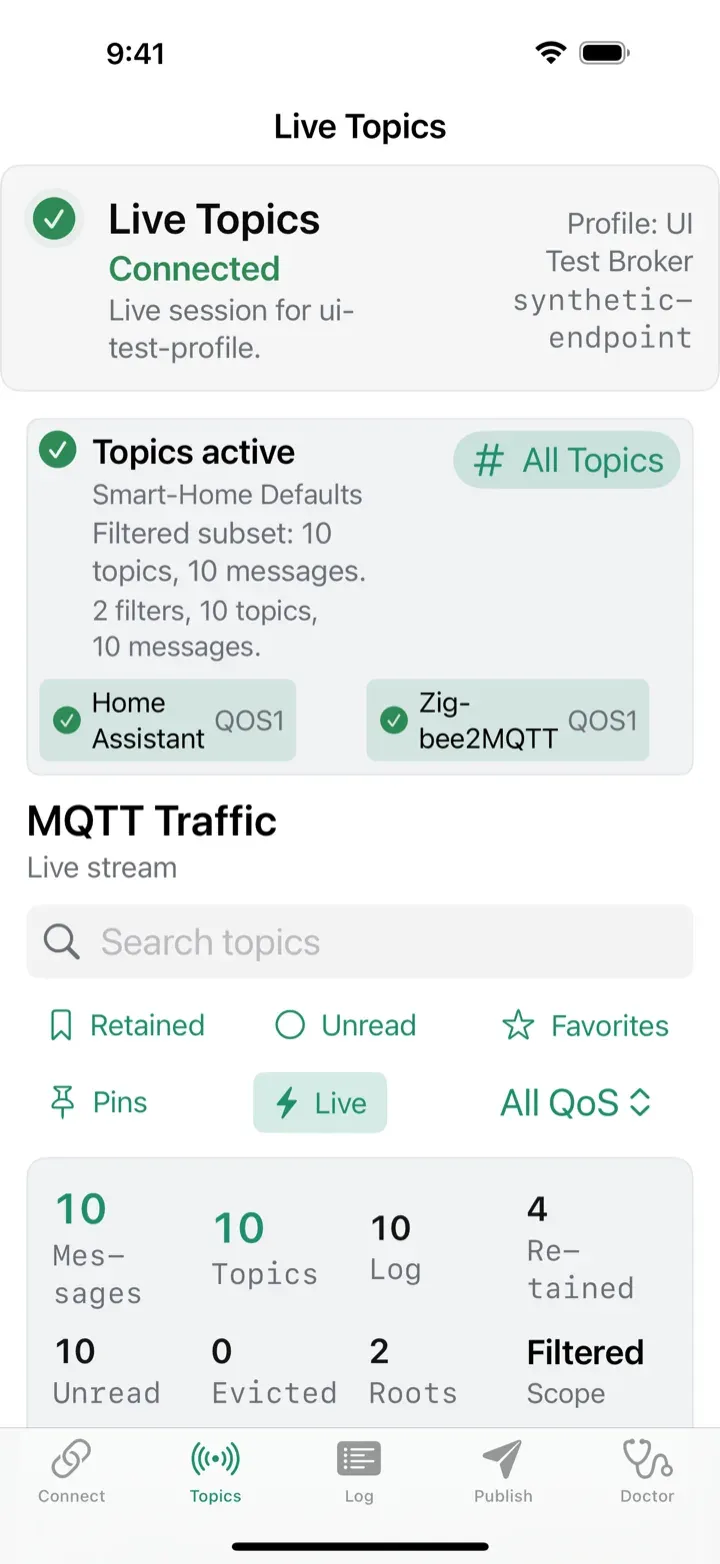
- Live Topics — discover topics as a filtered tree or a whole-broker view.
- Message Log — full traffic history with powerful filters and JSON/CSV/NDJSON export.
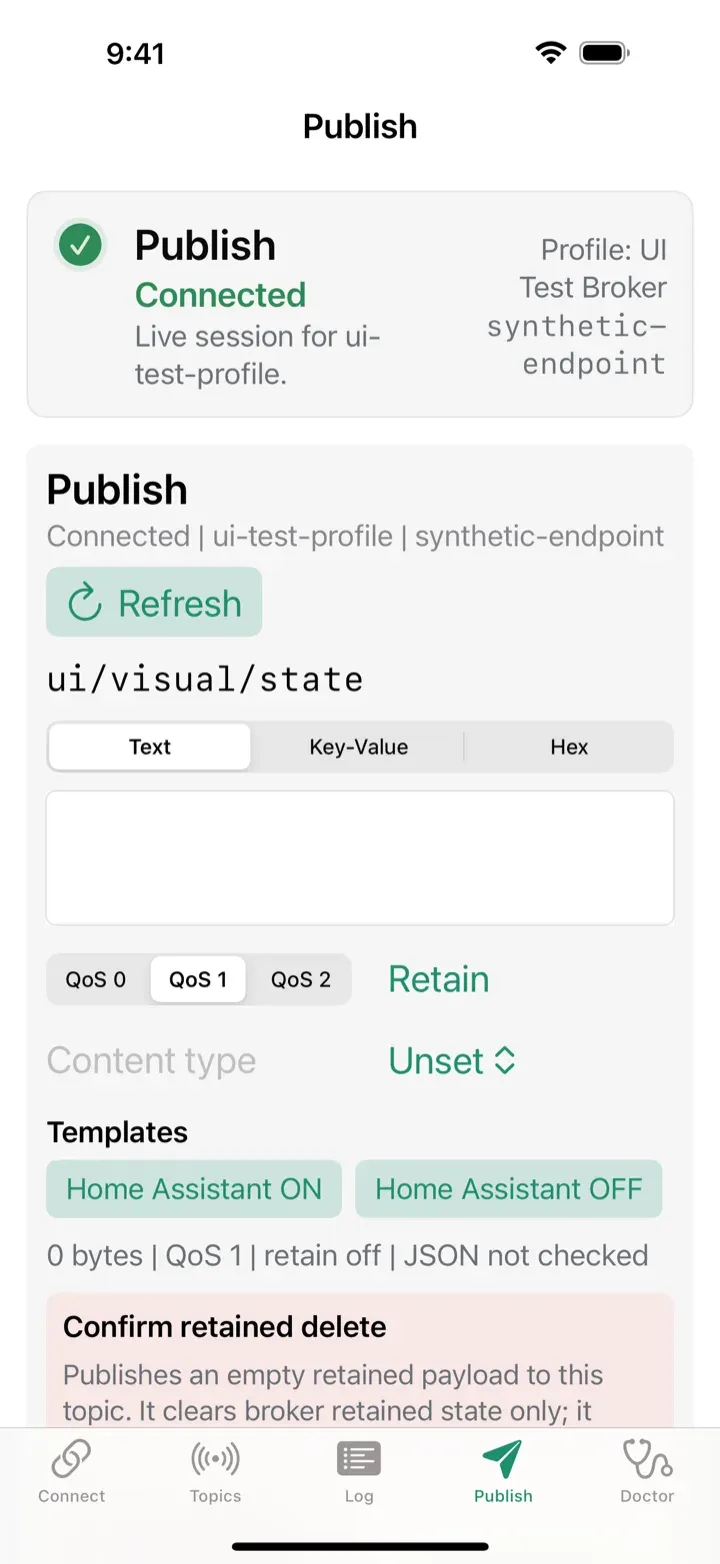
- Publish — compose messages with templates, QoS/retain, smart-home presets, and a safer retained-delete flow.
- Certificates — import CA and client certs, configure TLS/mTLS with SNI/ALPN.
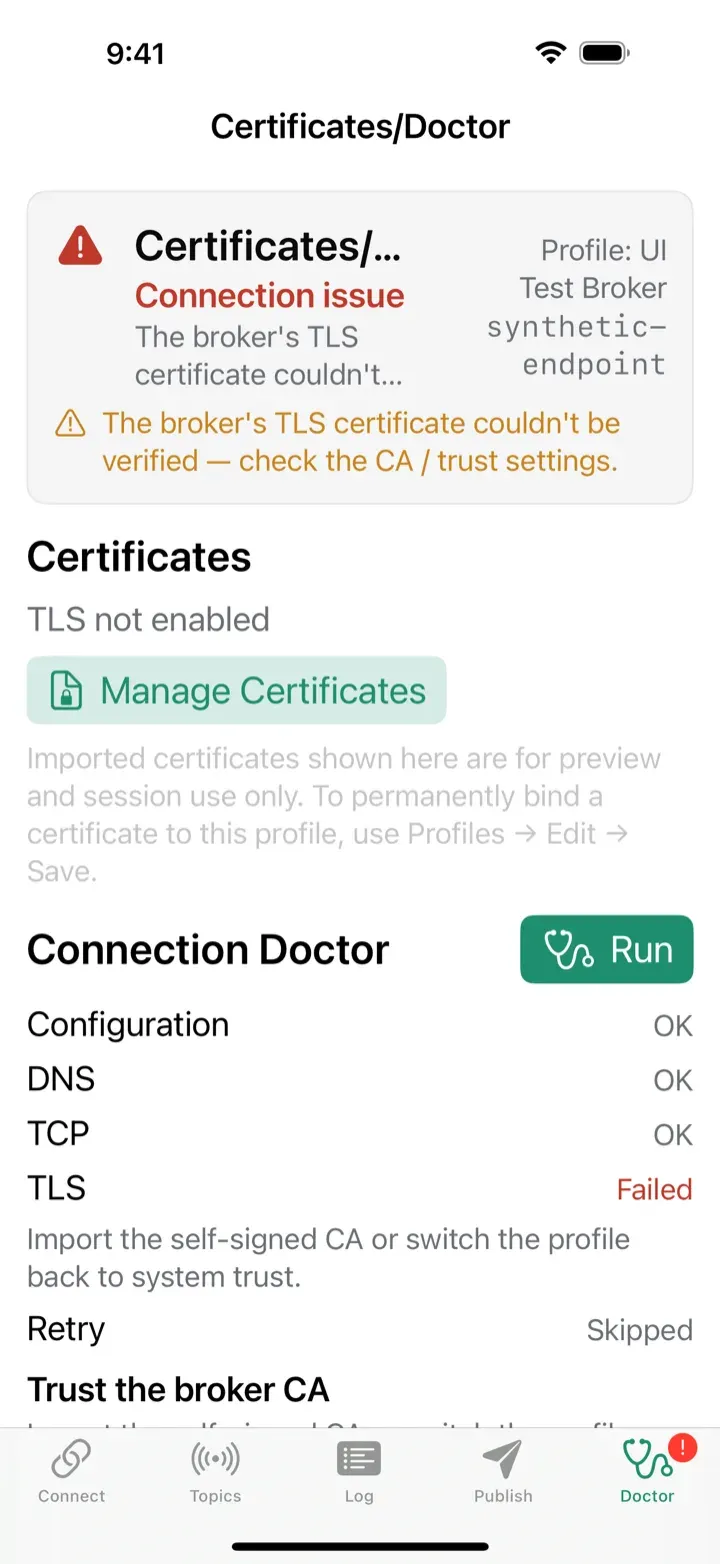
- Connection Doctor — diagnose host/port/auth/TLS failures with recovery hints.
- Profiles & Diagnostics — manage brokers and review privacy-safe events.
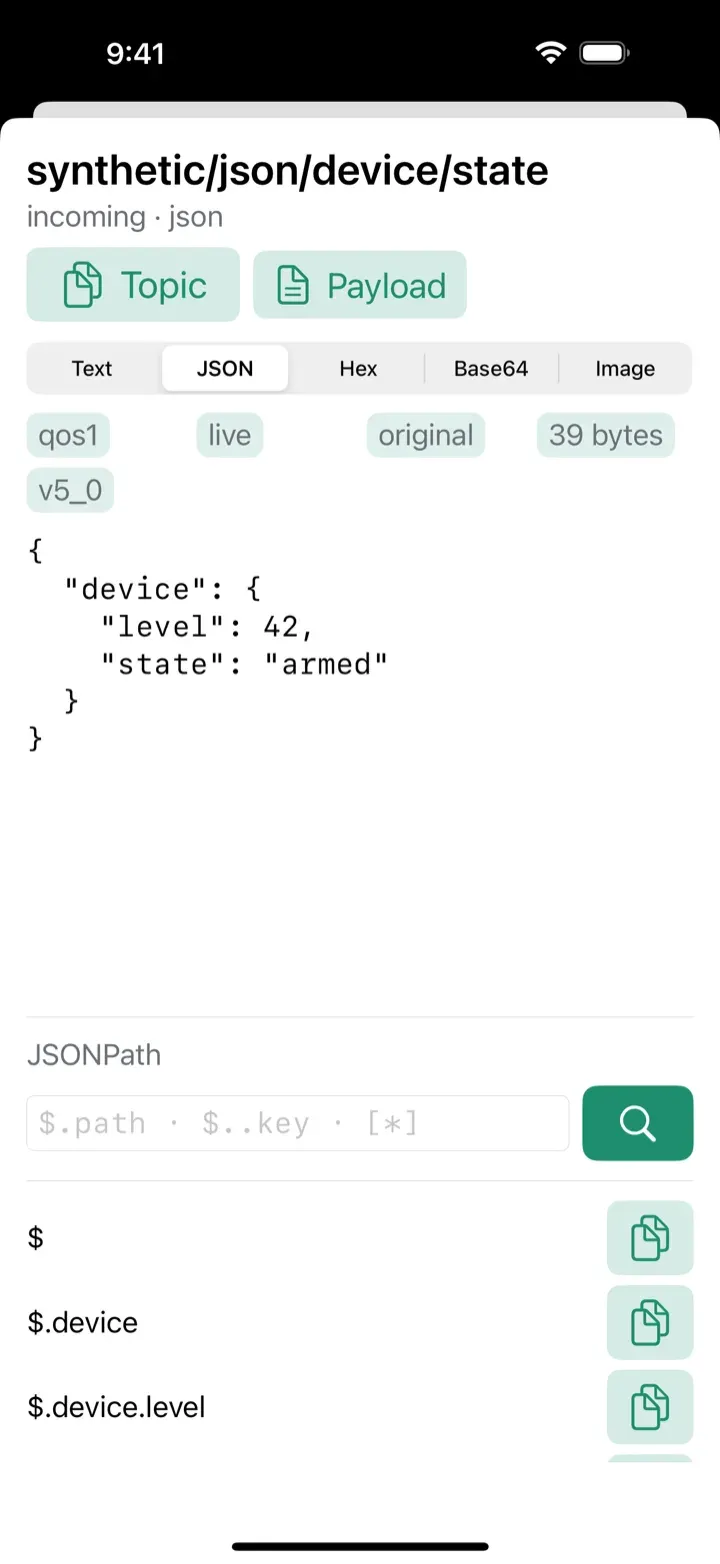
Payloads are readable by default: a JSON inspector pretty-prints and syntax-highlights, diffs two payloads, decodes hex/Base64, previews images, and copies values by JSONPath — with private values masked unless you ask to see them.
Engineering Highlights
- MQTTNIO transport: built on Apple’s SwiftNIO stack (MQTTNIO 2.13.0) with MQTT 5 properties, QoS 0/1/2, retained messages, Last Will, and wildcard/shared subscriptions over TCP, TLS, and WSS.
- Connection Doctor: walks the connection stage by stage — Input, DNS, TCP, TLS, certificate, MQTT/CONNACK, auth — and names the exact failing stage with a plain-language cause and suggested fix, reading MQTT 5 reason codes instead of surfacing a generic error.
- mTLS done properly: import a CA as PEM and a client identity as .p12, with expiry and hostname-mismatch checks, SHA-256 fingerprints, an ALPN list (including the AWS IoT
x-amzn-mqtt-caprotocol), and SNI override. Secrets are stored in the iOS Keychain. - Privacy-safe by construction: a credential sanitizer keeps secrets, private hostnames, topics, and raw payloads out of diagnostics and out of every CSV/JSON/NDJSON export. The privacy manifest declares no tracking and no collected data types.
- Shortcuts, Widgets & Automation: an App Intent publishes a saved command by voice or from any Shortcut or iOS automation (arrival, time, NFC), plus three Home Screen widgets — publish button, sensor value, and a sensor trend graph.
- Resilient networking: auto-reconnect with backoff on network changes, path monitoring, an in-flight operation limiter, and a topic tree built to handle thousands of topics with regex filtering.
- 11 localizations: shipped in English, French, German, Italian, Japanese, Korean, Portuguese, Russian, Simplified and Traditional Chinese, and Spanish.
Outcome
Available on the App Store as a one-time purchase ($2.99 / 2.99 €) — no subscriptions, no in-app purchases, no ads, and no ad-tracking. Anonymous, opt-out diagnostics power crash reporting and product analytics; nothing else leaves the device.
$ open ./screenshots
Screenshots