ProbeDeck
The on-call deck for ClickHouse on iPhone and iPad. See replica lag, parts and stuck mutations, find the query eating the cluster and kill it from your phone, with no server of mine between the app and your database.
$ specsheet probedeck
- role
- Solo developer
- year
- 2026
- platforms
- iOS 17+ · iPadOS 17+
- stack
- Swift 6 · SwiftUI · Network.framework · SwiftNIO SSH
- status
- released
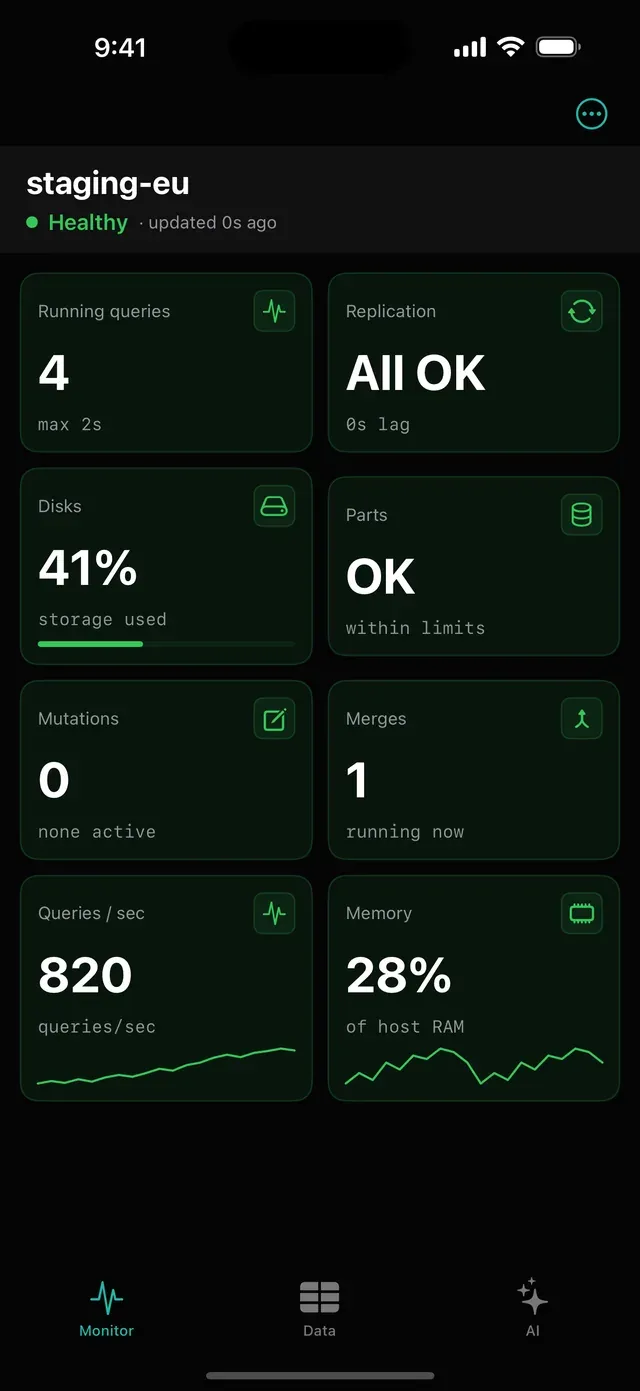
ProbeDeck, listed on the App Store as ProbeDeck: ClickHouse® Client, is a native iPhone and iPad app for the engineer on call for a ClickHouse cluster. It opens on the health of the server, with tables and the SQL editor one tab away. The official ClickHouse docs have a page on connecting it.
Problem
An alert reaches you wherever you are. A replica falls behind, a table hits “too many parts” or a mutation sticks, and the answers sit in system.* tables. Typing those queries on a phone keyboard over SSH is slow and error-prone at 2 a.m. You also have to trust a phone app with production credentials.
Solution
ProbeDeck opens on a dashboard of eight tiles that refreshes every 5 seconds, each colored by health. A screen sits behind each tile.
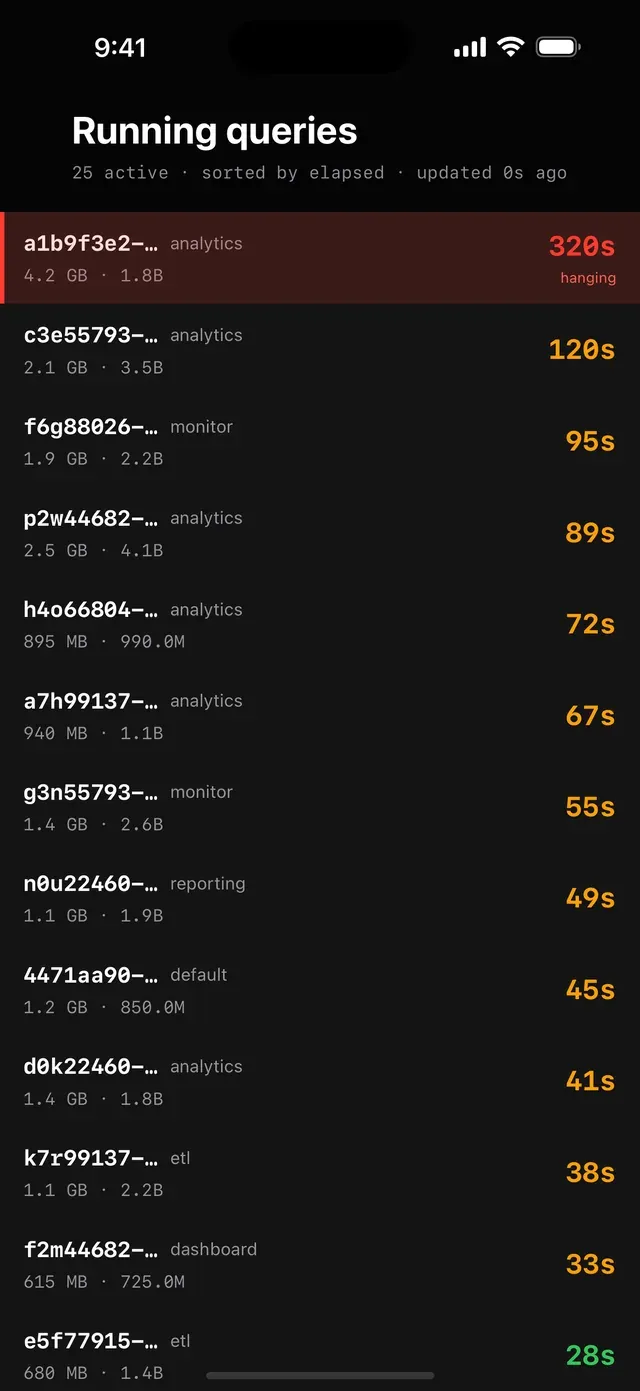
- Running queries lists
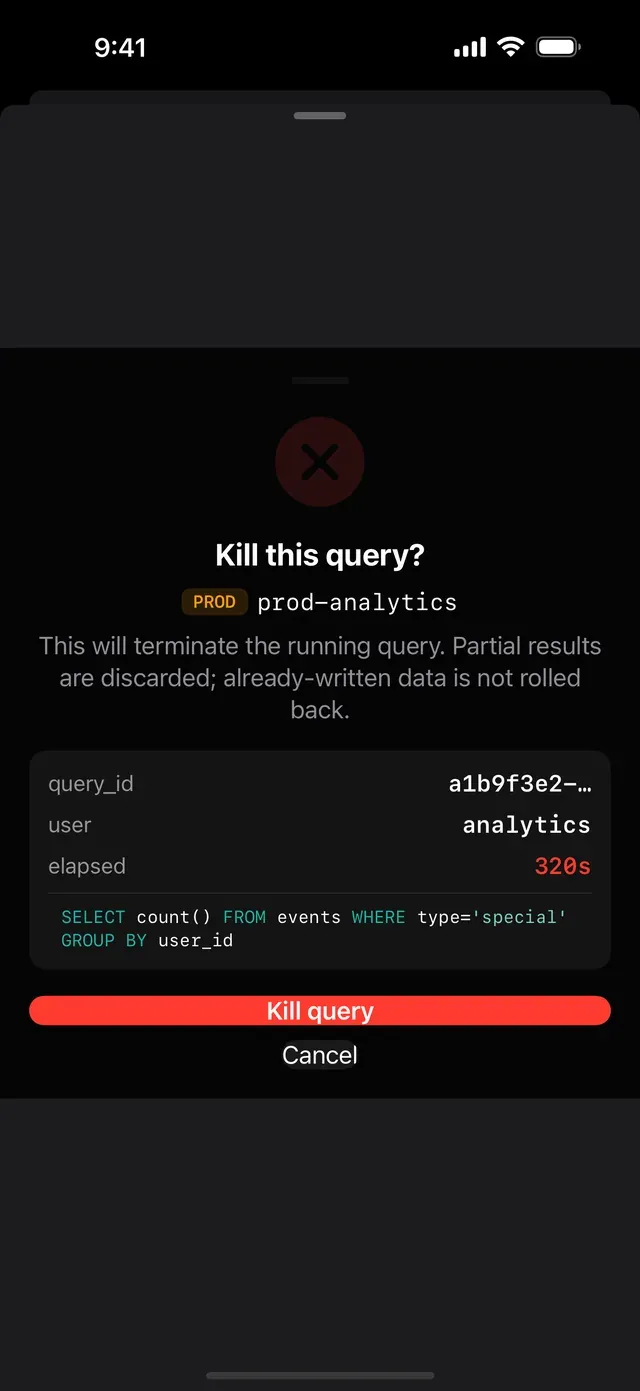
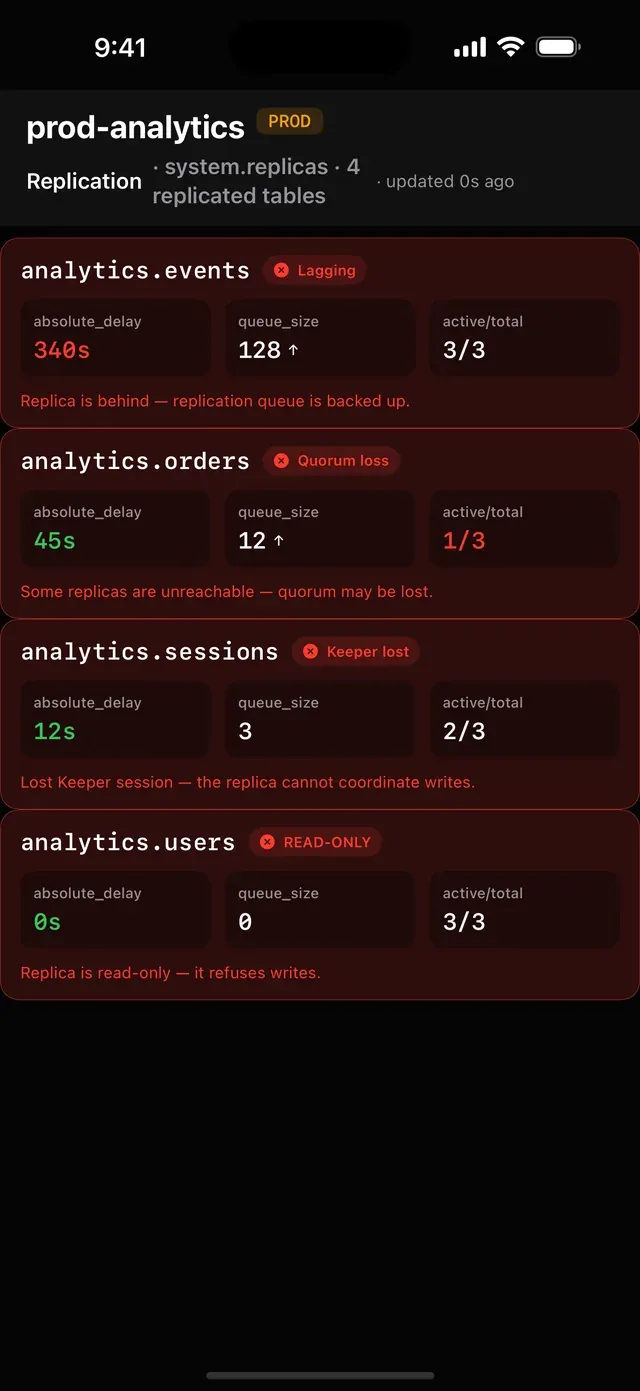
system.processesby elapsed time, with memory and user, and marks anything over 300 seconds as hanging.KILL QUERYtakes a swipe and a confirmation. - Replication shows delay, queue size and read-only replicas, expired Keeper sessions and quorum loss, with the replication queue and the last exception behind each replica.
- Disks & Parts ranks the largest tables and shows the most active parts in one partition, the number ClickHouse limits.
- Mutations & Merges lists stuck mutations with
latest_fail_reason, plusKILL MUTATION. - Server metrics charts queries per second, memory and disk use.
ProbeDeck has no background alerts. It works while open and goes next to the alerting you already run.
Engineering Highlights
- Direct connection: ProbeDeck speaks the ClickHouse HTTP interface on ports 8123 and 8443, with no server of mine in the path. It works with self-hosted ClickHouse, ClickHouse Cloud and clusters behind a bastion.
- Pinned trust: you inspect a TLS certificate fingerprint or an SSH host key and accept it per connection. A changed one blocks the connection.
- SQL classifier: each statement gets a class before ProbeDeck sends it.
DROP,TRUNCATE,ALTER UPDATE,DETACH,OPTIMIZE FINALandKILLneed a type-to-confirm step that shows the exact target, and a read-only connection stays read-only until you unlock writes. - No fake Undo:
KILL MUTATIONstops future work and leaves what the mutation already wrote. The confirmation says so. - Errors with a cause: ProbeDeck separates a ClickHouse error in the response body from a dead network. A user without
SELECTonsystem.*sees limited permissions and theGRANTto ask for. Test Connection gives up after 10 seconds and lists what to check. - AI with your own model: the assistant talks to your Ollama or your API key. An allow-list filters the schema context it sends, and it executes nothing by itself.
- Tested against a real server: a release gate runs the app’s gateway against ClickHouse in Docker with authentication on.
- Credentials on the device: passwords and SSH keys stay in the iOS Keychain, and you can require Face ID to open the app. Crash reports and anonymous usage counters are on by default, each with its own switch, and carry no passwords, host names, table names, values or query text.
Outcome
On the App Store since July 2026. Monitoring, schema browsing and read SQL on one saved connection are free, with no account. ProbeDeck Pro is a one-time purchase with no subscription, for KILL QUERY and KILL MUTATION, write and DDL SQL, the AI assistant and multiple saved connections.
ClickHouse is a registered trademark of ClickHouse, Inc. ProbeDeck is not affiliated with, endorsed by, or sponsored by ClickHouse, Inc.
$ open ./screenshots
Screenshots